You speak.
It writes.
Say it the way you would say it out loud. The clean text lands in whatever app you are typing in. Built end-to-end in SwiftUI.
Typing has always been the slow part for me. I have dyslexia, and I built Whisperly for myself first — then shipped it for everyone who finds typing hard. You talk, it writes, and you get on with your day. Free to download, with Whisperly Pro unlocked inside the app. Live on the App Store now.
— RoleDesign · iOS engineering · Identity
— Stack
WhisperlyLive on the App Store →
Your voice, turned into clean text. iOS · 2026.
— The brief
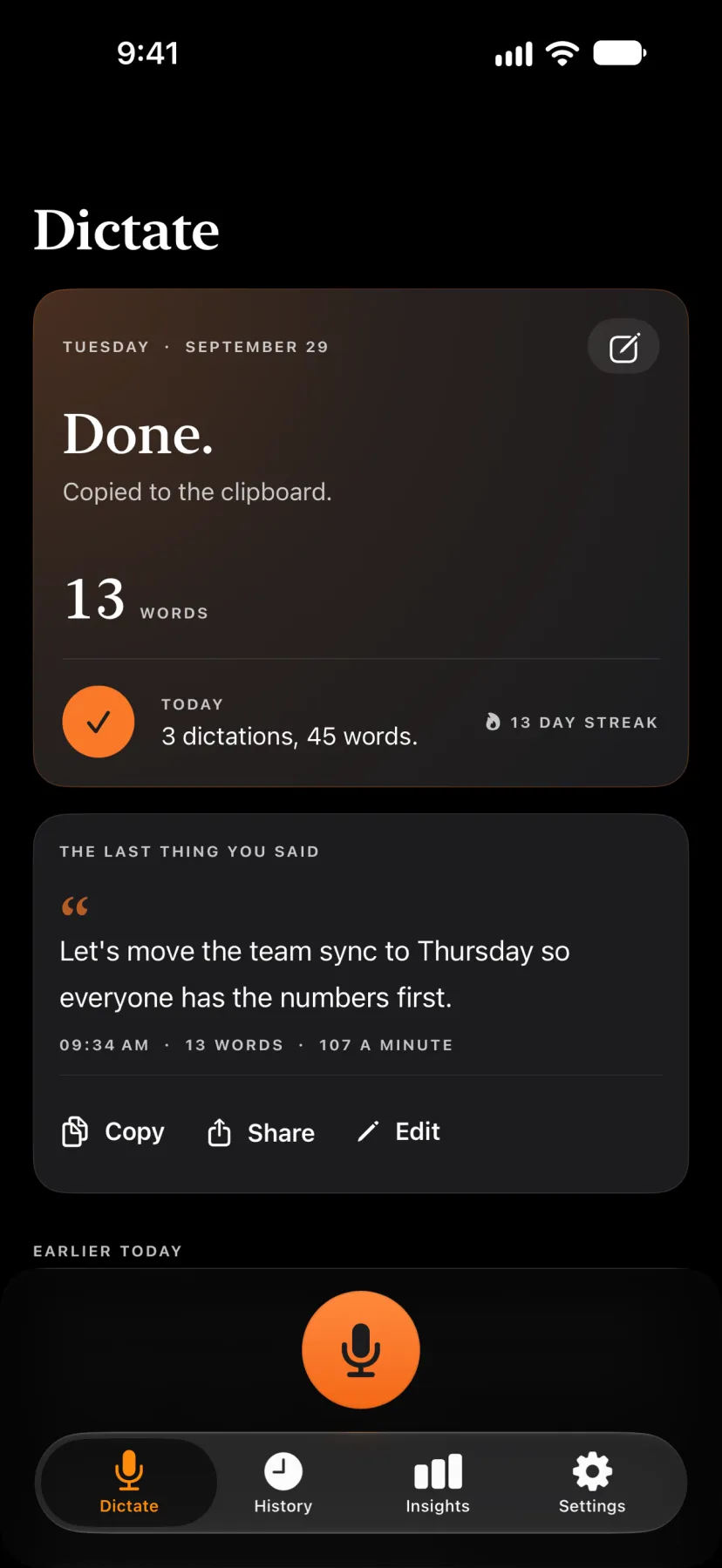
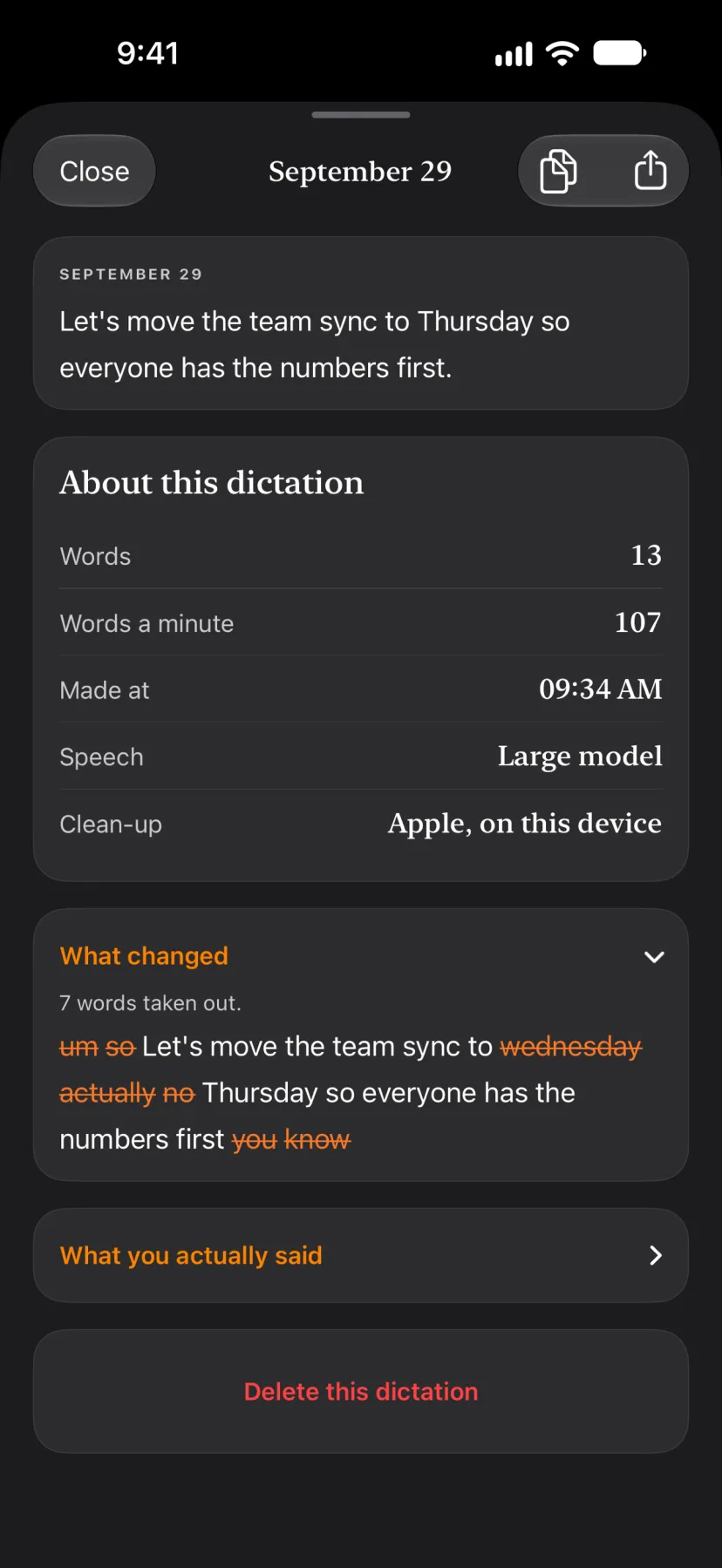
You speak; Whisperly writes the words down, takes out the ums, the repeats and the false starts, fixes the punctuation, and puts the text where you are typing — in the app, or in any app through the Whisperly keyboard. A dictionary teaches it the names it gets wrong, snippets turn a short phrase into a saved text, and writing styles set the tone before you speak. Speech recognition runs on the iPhone by default, and the audio stays there. One person, end to end — design, code, copy, identity.
— The process
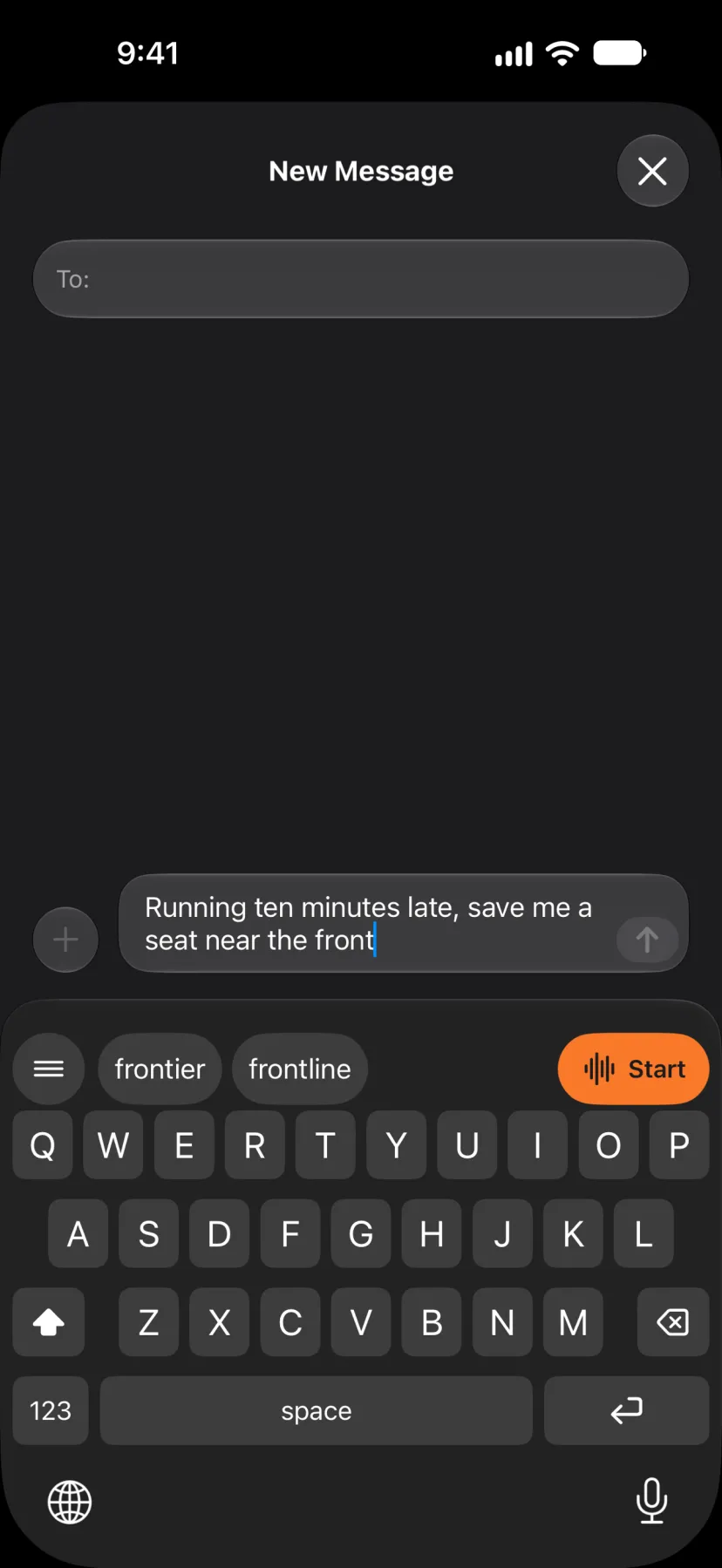
Built in SwiftUI with SwiftData. The first decision was where dictation lives. Most typing happens inside other apps, so Whisperly ships as a keyboard too: it types like a normal keyboard, and its mic key dictates into whatever app you are in — tap, speak, tap again.
That choice brings a hard moment with it. Dictating from a keyboard needs Full Access, and iOS shows a stern warning when you turn it on. Whisperly's answer is a plain explanation before you get there — what Full Access is used for, in the app's own words, without talking Apple's warning down. The same rule shaped every permission screen: say what it is for first, then one button that moves you on.
— The work
— What I learned
Writing for a reader like me changed the words everywhere. Short sentences, one idea each, no jargon, and a button that says what happens when you press it. Even the clean-up rules are written as sentences you can read and switch off one by one, instead of settings you have to decode.
The other rule was about trust. Whisperly is built not to swap or block a word you meant — anything a person could really say stays sayable. Its dictionary and learned corrections are there to learn your names and your spellings, not to overrule them.